Can Deleted Data Be Recovered? What Every Business Needs to Know
Formatting an old laptop feels like enough but it isn't. Here's why deleted business data is far easier to recover than most teams realize, and what to do about it.
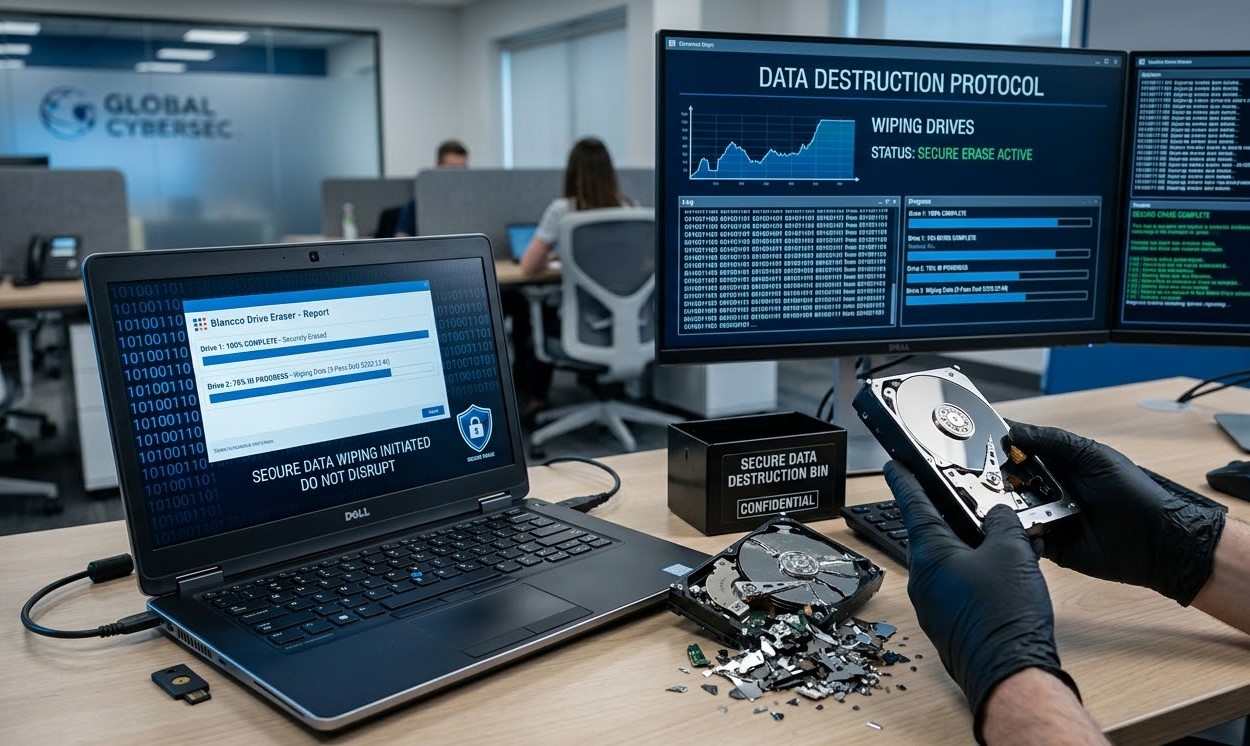
The short answer is yes and in most cases, it's easier than people expect. When you delete a file or format a drive, the operating system simply removes the address that points to the data. The data itself stays on the drive, fully intact, waiting for new data to overwrite it or for someone with the right tool to come along and read it.
For organizations retiring laptops, servers, or external storage, that gap between perceived deletion and actual destruction is where the real risk lives.
Why “Delete” and “Format” Are Not Enough
When you delete a file in Windows or macOS, the file is removed from view, but the bits stay where they were until something writes over them. A standard format does roughly the same thing at the volume level: it rebuilds the file system without touching the underlying data. Free recovery utilities can pull most of it back in minutes.
An old laptop with financial records, customer data, internal credentials, or contracts on it isn't safe just because it has been wiped to factory settings or formatted before resale. Anyone with basic recovery tools and a few hours can extract what was supposedly gone.
Forensic Recovery Goes Further Than Most People Think
Modern forensic tools and skilled recovery labs can pull data from drives that have been dropped, water-damaged, partially burned, or otherwise visibly compromised. As long as the magnetic platter or flash memory chip is still intact, the data on it is potentially recoverable.
In practical terms, this means physical damage alone is not a reliable form of data destruction. A laptop with a smashed casing or a drive that no longer boots can still surrender its contents under the right hands.
HDD vs SSD: How the Storage Type Changes the Risk
Both HDDs and SSDs carry serious recovery risk when they aren't properly sanitized. The methods that work on one don't always apply to the other.
Three Methods That Actually Protect Business Data
To genuinely protect retired devices from data exposure, organizations need to move beyond delete and format and adopt certified sanitization methods aligned with recognized standards.
Software sanitization (NIST 800-88)
Certified tools overwrite every accessible sector of a drive with patterned data, leaving no recoverable trace of the original information. This is the primary method for drives that are still operational and the only path that preserves the asset for resale or redeployment.
Degaussing
A powerful magnetic field permanently scrambles the magnetic domains on traditional HDDs, neutralizing the data instantly. It does not work on SSDs, which store data in flash memory rather than magnetic media.
Physical shredding
Industrial shredders reduce drives to fragments of typically 20mm or less, providing the most absolute form of data destruction available. It's the right choice for damaged drives or environments where regulation explicitly requires destruction.
How IntegriTrade LLC Closes Every Recovery Path
Data destruction should be transparent, verifiable, and audit-ready by default. The IntegriTrade workflow is built around exactly that principle and goes well beyond simple recycling.
Sealed chain of custody
Every device is tracked from the moment it leaves your office to the moment it's processed. Our own logistics team handles the route, so nothing changes hands without documentation.
Audit-ready sanitization
Each SSD and HDD is sanitized in line with NIST 800-88. Certified software reads the drive's serial number directly and produces a tamper-resistant Certificate of Erasure (COE) per device.
Physical destruction with value recovery
Drives that can't be sanitized with software are destroyed using industrial shredding. Drives that pass sanitization keep their value and the host devices are refurbished where possible to maximize ROI.
Complete inventory and certificates
Every project closes with a full inventory report and a Certificate of Destruction (COD) where applicable, giving your audit, finance, and compliance teams the documentation they need without follow-up requests.
Secure Data Destruction Services in San Francisco
Looking for certified data destruction in San Francisco? IntegriTrade LLC offers secure hard drive shredding, NIST 800-88 compliant data erasure, and complete IT asset disposition (ITAD) solutions to safeguard your sensitive business data.
From on-site shredding to compliant data wiping, our process ensures zero data recovery risk, full regulatory compliance, and audit-ready reporting with COE and COD.
Frequently Asked Questions
Trust, but Verify
When an internal IT team or local shop says “everything is deleted,” that reassurance alone isn't sufficient. What you actually need is a Certificate of Erasure that proves sanitization was completed to a certified standard. Without it, the legal, financial, and reputational risk stays on your books.
IntegriTrade LLC doesn't just delete data; we destroy it scientifically and document every step so that recovery isn't a possibility, no matter who tries or what tools they use.