Best Data Sanitization Practices for Businesses Before and After ITAD
Data sanitization best practices for businesses: before pickup, during custody transfer, while the ITAD provider processes assets, and after closeout.
Retiring business technology is not as simple as deleting files and giving the equipment to a recycling company. Laptops, servers, hard drives, SSDs, phones, tablets, printers, copiers, networking equipment, and backup media may contain confidential information long after they leave active service.
A strong data sanitization program covers the full lifecycle: before equipment leaves the business, during custody transfer, while the ITAD provider processes it, and after the project is complete.
The objective is to make access to the data infeasible for the applicable risk level while preserving the documentation needed to show what happened to each asset.
Start with a written sanitization requirement
Before scheduling pickup, determine what the organization requires for each category of equipment. The right method depends on the sensitivity of the information, the media type, the equipment’s condition, and whether the device will be reused, sold, returned, donated, or destroyed.
NIST SP 800-88 Rev. 2 organizes sanitization outcomes as:
- Clear: A logical technique intended to protect against ordinary recovery attempts while preserving the media for continued use.
- Purge: A stronger logical or physical technique intended to make recovery infeasible for the applicable level of effort while potentially preserving the device.
- Destroy: A physical process that makes data recovery infeasible and prevents reuse of the media.
NIST SP 800-88 Rev. 2 is a framework, not a single universal wipe setting. A business should define which outcome is approved for each asset category and when physical destruction is mandatory.
The written requirement should also identify who may approve exceptions, how failed sanitization is handled, and what documentation is required at closeout.
Best practices before handing equipment to an ITAD provider
1. Identify every place data may exist
Do not limit the inventory to laptop and desktop hard drives. Review:
- Internal HDDs, SSDs, and NVMe drives
- M.2 modules, including short 2230 modules
- Servers, storage arrays, and backup appliances
- Phones, tablets, and mobile-device logic boards
- USB drives, SD cards, and removable media
- Printers, copiers, scanners, and multifunction devices
- Network equipment with flash storage or configuration memory
- External drives and backup tapes
- Virtualization hosts and removable storage
Printers and copiers are frequently overlooked. Their storage may retain scan jobs, address books, print records, user credentials, or documents in a queue, scanner bed, or paper tray.
2. Reconcile the inventory to internal asset records
Create or export a manifest before pickup. Useful fields include:
- Client asset tag
- Manufacturer and model
- Serial number
- Device type
- Storage-media type and capacity
- Location or department
- Assigned user, when applicable
- Condition
- Required disposition
- Required sanitization method
- Lock or management status
A clean manifest reduces disputes and makes the final certificate package easier to reconcile. If equipment has no tag, the business and ITAD provider should agree on how it will be identified and tracked.
3. Preserve required business data before sanitization
Sanitization can be irreversible. Before a device is erased or destroyed, confirm that the organization has completed any required:
- Backups and restores
- Legal holds
- Litigation or investigation preservation
- Records-retention review
- Configuration exports
- License transfers
- Recovery-key preservation
- Business continuity requirements
Do not allow a device to be sanitized simply because it is on a retirement pallet if the organization still needs information from it.
4. Resolve account and management locks
For equipment intended for reuse, resale, redeployment, or lease return, resolve the relevant locks before handoff whenever possible. Depending on the asset, this may include:
- Apple Activation Lock or iCloud status
- Mobile-device management enrollment
- Google Factory Reset Protection
- BIOS or firmware passwords
- Computrace or similar persistence controls
- Windows Autopilot or organizational enrollment
- Carrier locks on phones
- Encryption keys and recovery credentials
A locked device may not be eligible for value recovery or logical sanitization. It should be placed into an exception workflow rather than represented as ready for resale.
5. Separate reuse candidates from destroy-only assets
Tell the ITAD provider which assets may be reused and which must be physically destroyed. Some organizations may approve logical sanitization for working devices that remain suitable for redeployment. Other assets may require Purge or Destroy because of sensitivity, condition, ownership, contract, or client policy.
The disposition requirement should be tied to the asset or project, not left to an informal verbal instruction.
6. Do not rely on a basic factory reset
A factory reset, file deletion, or operating-system reinstall may not meet the organization’s approved sanitization requirement. It may leave recoverable data, fail to address hidden partitions, or provide no asset-level verification.
If the ITAD provider is performing the sanitization, confirm the approved method and allow the provider to generate the required evidence. If internal IT performs a pre-wipe, retain the internal logs and still communicate the requirement for any remaining storage media.
Best practices during pickup and custody transfer
Count and document the handoff
At pickup, the authorized representatives should confirm the equipment being transferred. Depending on the project, this may involve serialized asset reconciliation, verified piece counts, pallets, boxes, photos, or a combination of these records.
The chain-of-custody record should identify:
- Client name and pickup location
- Date and time of transfer
- Authorized representatives
- Quantity and packaging units
- Asset or media identifiers when available
- Required sanitization or destruction pathway
- Any exceptions or exclusions
- Signatures or electronic acknowledgments
If the final piece count will occur at the ITAD facility, the custody record should state that clearly rather than implying that every item was serialized on site.
Maintain physical control during transport
Ask how equipment is secured from pickup through facility receipt. The process should address loading, staging, vehicle security, delivery, and receipt confirmation. Sensitive assets should not be left unattended in unsecured areas or mixed casually with general scrap.
Make exceptions visible
Missing tags, locked devices, damaged media, unexpected storage modules, and equipment outside the agreed scope should be recorded. A good provider does not silently guess at the required treatment.
What the ITAD provider should do during processing
A capable provider should identify the media, follow the approved project requirement, and document the result. The process may include:
- Facility receipt and custody confirmation
- Asset-tag and serial-number reconciliation
- Media identification
- Logical sanitization, physical destruction, or approved recycling pathway
- Verification or validation of the result
- Testing and grading for assets approved for reuse
- Exception management
- Certificate and final-report generation
The method must match the media. Degaussing may be appropriate for magnetic hard drives and magnetic tape, but it does not sanitize SSDs, NVMe drives, USB flash drives, SD cards, or other non-magnetic media. Flash-based media may require a suitable logical sanitization method or specialized physical destruction.
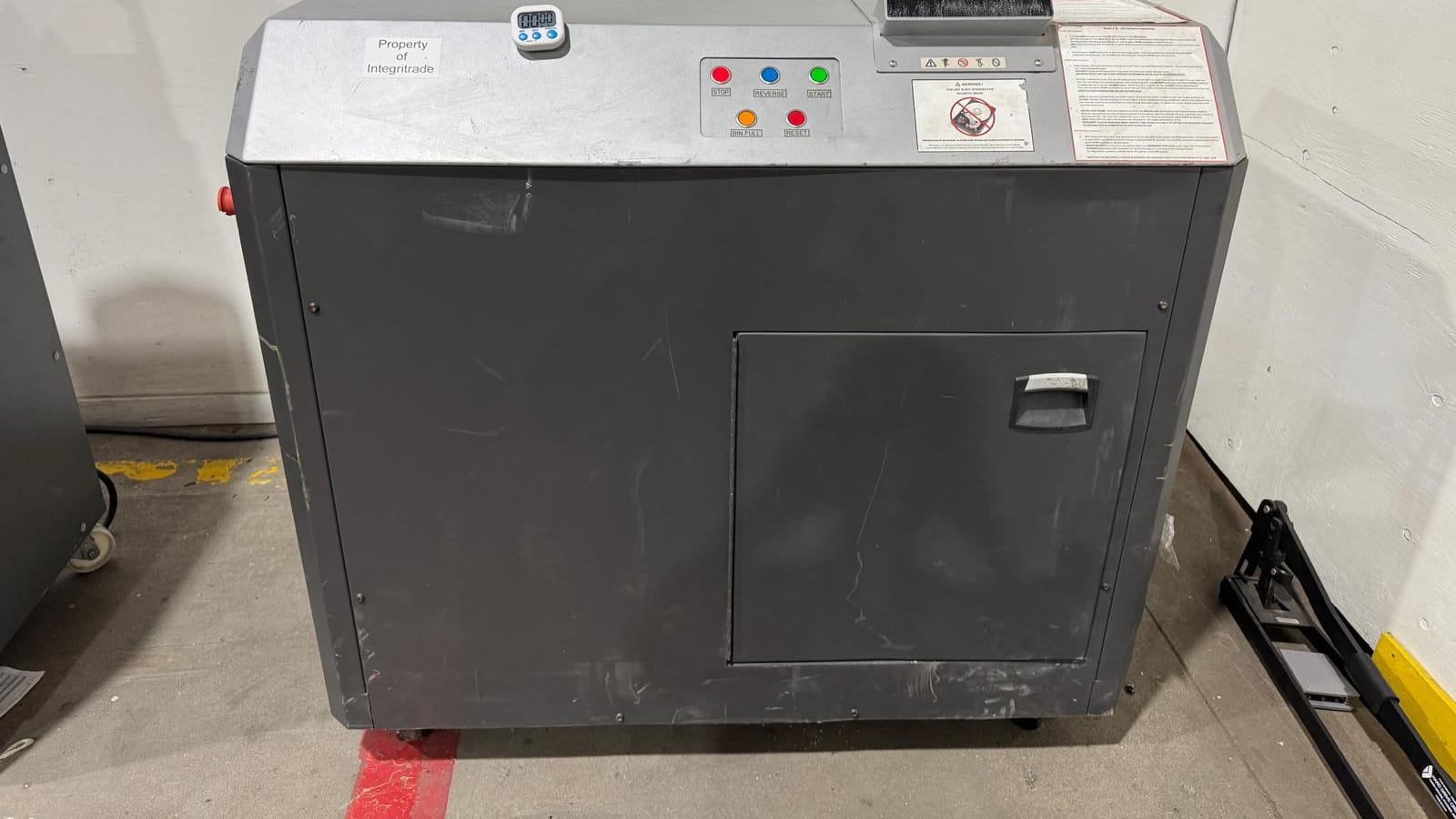
Integritrade’s data-destruction workflows include PXE-based high-throughput software sanitization, serialized Certificates of Erasure, degaussing and shredding for appropriate magnetic media, and specialized physical destruction for approved SSD, NVMe, removable flash, and mobile logic-board media.
What to review after the ITAD project
1. Reconcile the final report to the original manifest
Compare the provider’s closeout package to the original inventory. Investigate missing assets, duplicate serial numbers, unidentified items, and devices listed under the wrong disposition pathway.
2. Review the correct certificate for the correct outcome
A Certificate of Erasure should correspond to logical sanitization. A Certificate of Destruction should correspond to physical destruction. A weight ticket documents material weight but does not replace serialized data-destruction documentation when asset-level evidence is required.
Review whether the certificate includes the information required by the project, such as asset tags, serial numbers, media identifiers, method, date, and final disposition.
3. Close exceptions formally
Do not close the project while locked, failed, damaged, or unidentified media remains unexplained. Require a documented resolution, such as customer action, approved physical destruction, return, or another authorized pathway.
4. Retain the evidence package
Store the manifest, chain-of-custody documents, certificates, exception records, photos or video when applicable, and final reconciliation according to the organization’s records-retention requirements. The evidence should be accessible to security, compliance, procurement, sustainability, and internal-audit teams.
5. Revoke access and update internal systems
After processing is confirmed, remove retired devices from inventory, endpoint-management platforms, remote-access tools, mobile-device management, certificate inventories, monitoring systems, and insurance or lease records. Review whether credentials, tokens, certificates, VPN profiles, or API keys were stored on the retired assets and rotate them when appropriate.
TraceTech visibility for Full ITAD projects
Integritrade’s TraceTech platform provides authorized Full ITAD clients with real-time project and asset visibility after pickup. Depending on the project scope, clients can review asset status, reconcile internal asset tags, access Certificates of Erasure and Certificates of Destruction as issued, submit service requests, and review value-recovery information.
Project-specific instructions can also be tied to the asset workflow. That helps distinguish devices approved for reuse from media designated for physical destruction or direct recycling.
Why the provider’s controls matter
A business can prepare a good manifest and still face risk if the provider lacks the equipment, security controls, staffing, or documentation process to execute the project. Before selecting an ITAD provider, ask about:
- R2v3 or another independently audited electronics-recycling certification
- Information-security controls
- Facility access and video monitoring
- Background-checked and trained personnel
- Media-specific sanitization and destruction equipment
- Serialized Certificates of Erasure and Destruction
- Chain-of-custody procedures
- Exception management
- Downstream vendor controls
- Asset-level reporting and client visibility
Integritrade operates a controlled-access, 24/7 video-monitored 30,000 sq ft ITAD Megacenter in Fresno, California. The facility supports software sanitization, magnetic-media destruction, specialized flash-media destruction, testing, value recovery, and responsible recycling workflows. Integritrade maintains R2v3, ISO 9001, ISO 14001, ISO 45001, and ISO/IEC 27001 certifications within their applicable scopes.
The safest handoff is not the one with the most impressive promise. It is the one supported by a written requirement, controlled custody, media-appropriate processing, asset-level evidence, and a documented closeout.
Review Integritrade’s data-destruction methods or request a consultation for data destruction and ITAD services.
Frequently Asked Questions
It depends on the project scope. A business should define the required outcome, preserve any information subject to retention or legal hold, and confirm whether the ITAD provider will perform and document the sanitization. If the provider is responsible for the process, the requirement should be included in the scope and chain-of-custody documentation.
Clear, Purge, and Destroy are NIST sanitization outcomes. Clear is generally a logical method for lower-risk reuse scenarios. Purge is a stronger method intended to make recovery infeasible for the applicable effort level. Destroy physically renders the media unusable and is appropriate when reuse is not permitted or reliable sanitization cannot be performed.
No. Degaussing is intended for magnetic media. SSDs, NVMe drives, USB drives, SD cards, and similar flash media require an appropriate logical sanitization method or specialized physical destruction.
Keep the original manifest, chain-of-custody record, serialized Certificates of Erasure or Destruction, exception records, final reconciliation, downstream documentation, and any approved photos or video. Retain them according to the organization’s internal recordkeeping requirements.
Yes. Working, eligible assets may be sanitized, tested, and evaluated for redeployment, buyback, revenue sharing, donation, or remarketing. Assets that fail testing, remain locked, or have no recovery value can be routed to physical destruction or recycling.