FERPA-Focused School IT Asset Disposition: Chromebook Recycling and Student Data Destruction
Learn how K-12 districts, colleges, and universities can plan FERPA-aware IT asset disposition, student-device disposal, Chromebook recycling, data sanitization, physical destruction, documentation, and value recovery.
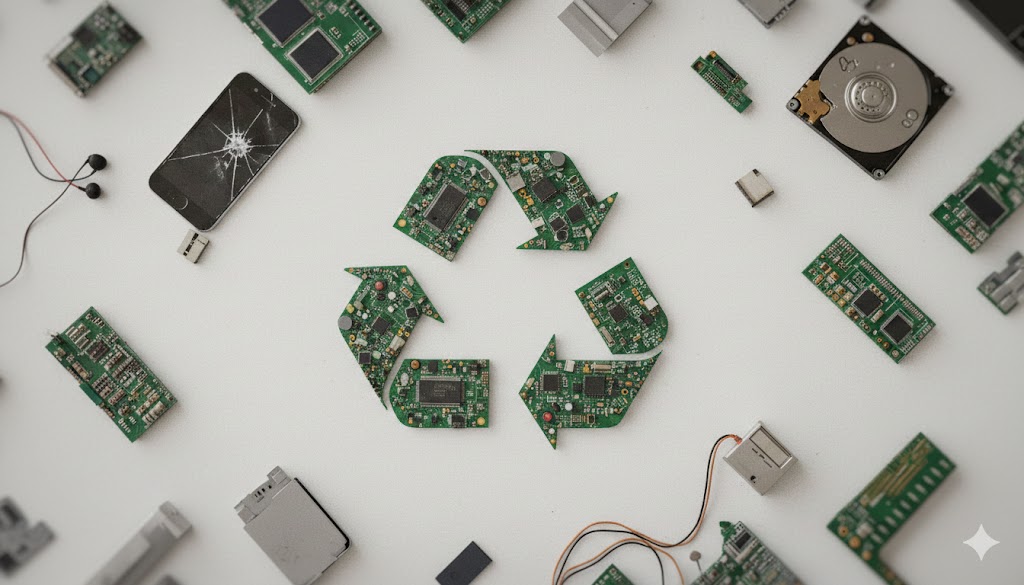
A summer technology refresh can recover value from retired Chromebooks and laptops, but it is also a student-data governance event. K-12 districts, colleges, and universities retire student Chromebooks, tablets, faculty devices, servers, printers and multifunction printers, network appliances, and embedded storage. Each may need deliberate handling before reuse, resale, recycling, or physical destruction.
FERPA protects education records, not a category of hardware. An education record is directly related to a student and maintained by an educational agency or institution, or by a party acting for it. A record includes information in computer media, and personally identifiable information can include direct and linked or linkable identifiers. [1]
“Media sanitization refers to a process that renders access to target data on the media infeasible for a given level of effort.” [4]
That distinction matters. A Chromebook itself is not automatically an education record. Yet a Chromebook, laptop, tablet, server, or copier may store, cache, or synchronize education records or personally identifiable information. The institution should decide what it retains, destroys, and documents. A FERPA-aware IT asset disposition, or ITAD, program makes those decisions repeatable.
FERPA, vendor arrangements, and retired school technology
FERPA gives parents rights regarding their children’s education records. Those rights transfer to an eligible student at age 18 or on attendance at a postsecondary institution. FERPA focuses on unauthorized disclosure of personally identifiable information from education records. [1] Device retirement should therefore involve technology, information security, records, privacy, and procurement stakeholders.
Vendor arrangements under FERPA are fact-specific. Under the school official exception, an outside party must perform an institutional service or function, meet the school or district’s school-official criteria, remain under the institution’s direct control over use and maintenance, and use records only for authorized purposes without unauthorized redisclosure. The school or district remains responsible for protecting information disclosed under that exception. [2]
For a disposal project, no provider should be described as blanket FERPA compliant. The applicable exception, annual notice, information, scope, contract, retention duties, and other state or local requirements all matter. FERPA does not prescribe one technical destruction standard, and an institution must not destroy education records while an inspection or review request is outstanding. Other laws, holds, schedules, or policies may require retention or specific disposal. [3] Counsel and the institution’s privacy, security, and records teams should set the requirements.
A school ITAD agreement can identify in-scope assets and media, approved handling by asset class, authorized use, security expectations, destruction or return timelines, and required records. Department guidance recommends a destruction plan with a timeline and methodology, and identifies certification as a best practice. [2]
Start with discovery, retention decisions, and asset-tag reconciliation
Plan student-device disposal before a summer refresh. The institution should identify records to retain and any hold, request, or policy that blocks destruction. Its scope should reflect the real fleet: Chromebooks, laptops, tablets, classroom devices, servers, network equipment, printers, MFPs, external drives, and failed media.
An asset inventory should connect the school asset tag to the device serial number and, when needed, the drive or media serial number. It should flag missing devices, machines that fail to boot, swollen batteries, and printers or MFPs with internal drives. This prevents a data-bearing device from being misclassified as ordinary recycling because it is broken or low value.
A deliberate reconciliation step closes the loop. The school compares its asset tags, serial numbers, locations, and instructions against receiving and processing records. Variances are investigated before closeout. A district-wide refresh can then distinguish equipment cleared for reuse, value recovery, physical destruction, and end-of-life recycling.
For education organizations seeking a service model built around these needs, Integritrade’s education ITAD program supports client-selected handling for schools, districts, colleges, and universities. The focus is a documented process that can support institutional FERPA requirements and information-security policies, not a claim that one vendor arrangement resolves every FERPA question.
Choose a sanitization or destruction path by media and intended disposition
NIST SP 800-88 Rev. 2 provides a useful technical framework. It describes media sanitization as making access to target data infeasible for a given level of effort and directs organizations to select controls based on information sensitivity. [4] The school ITAD path should reflect media type, device condition, intended disposition, and institutional decisions.
Logical sanitization is often appropriate for equipment with a productive next life. It uses an approved, verified logical method. When it succeeds, the project record is a Certificate of Erasure. It can support redeployment, reuse, remarketing, or value recovery, subject to client-selected handling and eligibility. File deletion, quick formatting, or account sign-out is not a complete disposition process. The Department warns that deletion can leave underlying data recoverable. [3]
For large Chromebook, laptop, desktop, and server refreshes, PXE erasure can process compatible equipment at scale by starting systems across a network. It still requires asset identification, verification, exception handling, and certificates. A failed erase must move to the client-approved next path.
Physical destruction is for media that cannot be sanitized, media designated for destruction, or assets not authorized for reuse. Its project record is a Certificate of Destruction. For applicable magnetic HDDs, Integritrade offers HDD degauss-plus-shred processing. For SSD and NVMe media, Integritrade offers 2 mm physical destruction. See Integritrade’s equipment page for the relevant media pathways. [7]
Data-bearing components also appear outside the obvious classroom device. Servers may include multiple drives or controllers. Printers and MFPs may retain scanned documents, address books, job logs, or cached images on internal storage. Tablets and phones may have internal flash storage. The scope should call these out explicitly. If a device is destined for end-of-life recycling, the relevant embedded storage should first follow its approved sanitization or physical-destruction path.
Keep evidence connected to each asset
A certificate is most useful when connected to an identifiable asset, a defined service, and an agreed outcome. Institutions should define whether they need individual or batch documentation, required identifiers, exception reporting, and project closeout. Receiving manifests, asset-tag reconciliation, processing status, and certificates form a single project record.
TraceTech is Integritrade’s client portal and processing platform, included at no additional cost. Authorized teams can follow status from pickup through disposition, connect school and Integritrade tags, retrieve available batch or individual certificates, and associate requests or approved amendments with the project record. [6] It is useful for refreshes with mixed instructions, such as erasure, destruction, and recycling.
Documentation supports, rather than replaces, institutional governance. The institution should retain policy-required records, test reconciliation, and update disposal instructions as technology changes. Department guidance also calls out copies of personally identifiable information in backups, temporary files, and other media as matters for agreements to address. [3]
Recover value without losing control of the outcome
Value recovery and student-data protection can work together when handling is selected before processing. Equipment that completes approved logical sanitization may be evaluated for reuse, direct buyback, or revenue-share remarketing. Condition, model, configuration, battery health, accessories, and market timing affect value. Separate assets eligible for resale from those designated for destruction.
Devices with no reuse value, unrecoverable defects, or client-directed recycling can move through responsible electronics recycling after the approved data-media process. R2v3 practices and downstream controls keep recycling a managed end-of-life outcome rather than an undefined destination for devices that may contain student or institutional data.
Integritrade maintains R2v3 and ISO 9001, ISO 14001, ISO 45001, and ISO/IEC 27001 certifications. These standards support documented quality, environmental, safety, and information-security management systems within applicable scopes. Integritrade processes projects through a 31,000 sq ft controlled-access, video-monitored ITAD Megacenter for secure staging, processing, data handling, value recovery, and recycling. [5]
Fresno and San Francisco Bay Area education ITAD capability
Integritrade is based in Fresno and supports education technology disposition across California, including Fresno and the San Francisco Bay Area. For K-12 districts, colleges, and universities, Integritrade can coordinate secure pickup, school-calendar-aware refresh logistics, asset-tag reconciliation, client-selected erasure or physical destruction, value recovery, recycling, and reporting. The FERPA-focused service model supports institutional FERPA requirements, subject to each institution’s policies, contracts, and applicable obligations.
To discuss an upcoming Chromebook refresh, server retirement, printer or MFP replacement, or multi-campus disposition program, request a free consultation with Integritrade. The conversation can begin with quantities, sites, dates, asset types, desired documentation, and the institution’s selected handling instructions.
Frequently Asked Questions
FERPA does not make a recycling method automatically compliant. The district should determine whether devices may contain education records or personally identifiable information, resolve retention and request issues, set client-selected handling instructions, and use a documented sanitization or destruction process. The applicable FERPA analysis and vendor terms are fact-specific. [1] [3]
The appropriate method depends on the device, its storage, its condition, and the district’s approved disposition. Verified logical sanitization can support reuse or remarketing and produces a Certificate of Erasure. Physical destruction is appropriate for client-designated or failed media and produces a Certificate of Destruction.
A tablet should be assessed as a data-bearing device before recycling. A factory reset or account sign-out alone may not satisfy an institution’s approved process. The school should select an appropriate logical sanitization or physical-destruction path and document the result.
Printers and MFPs may contain internal hard drives or flash storage with scans, print jobs, address books, or logs. Include these assets in the inventory, identify embedded media, and route them through the same approved sanitization or physical-destruction process used for other data-bearing equipment.
A Certificate of Erasure documents the completed logical sanitization outcome for the covered media or asset under the project workflow. It is different from a Certificate of Destruction, which documents a physical-destruction outcome. Institutions should specify whether asset-level or batch records are needed.
Yes, when an institution authorizes logical sanitization and the devices are eligible after evaluation, they may be considered for reuse, direct buyback, or revenue-share remarketing. Asset condition and market demand affect value. Devices that do not qualify can follow the client-selected destruction or recycling pathway.
FERPA does not prescribe a particular technical standard for destruction. NIST SP 800-88 Rev. 2 is authoritative guidance for establishing media-sanitization techniques and controls based on information sensitivity. Institutions should determine the requirements that apply to their circumstances and may use NIST guidance to inform policy and vendor instructions. [3] [4]
Yes. Integritrade supports education ITAD, data sanitization, physical destruction, value recovery, and electronics recycling projects from Fresno to the San Francisco Bay Area and across California. Schools can book a free consultation to discuss campus counts, summer timing, asset types, documentation, and handling preferences.