NIST SP 800-88 Rev. 2: When to Use Clear, Purge, or Destroy for Data Sanitization
How to choose Clear, Purge, or Destroy under NIST SP 800-88 Rev. 2, based on data risk, the storage media, and what happens to the device next.
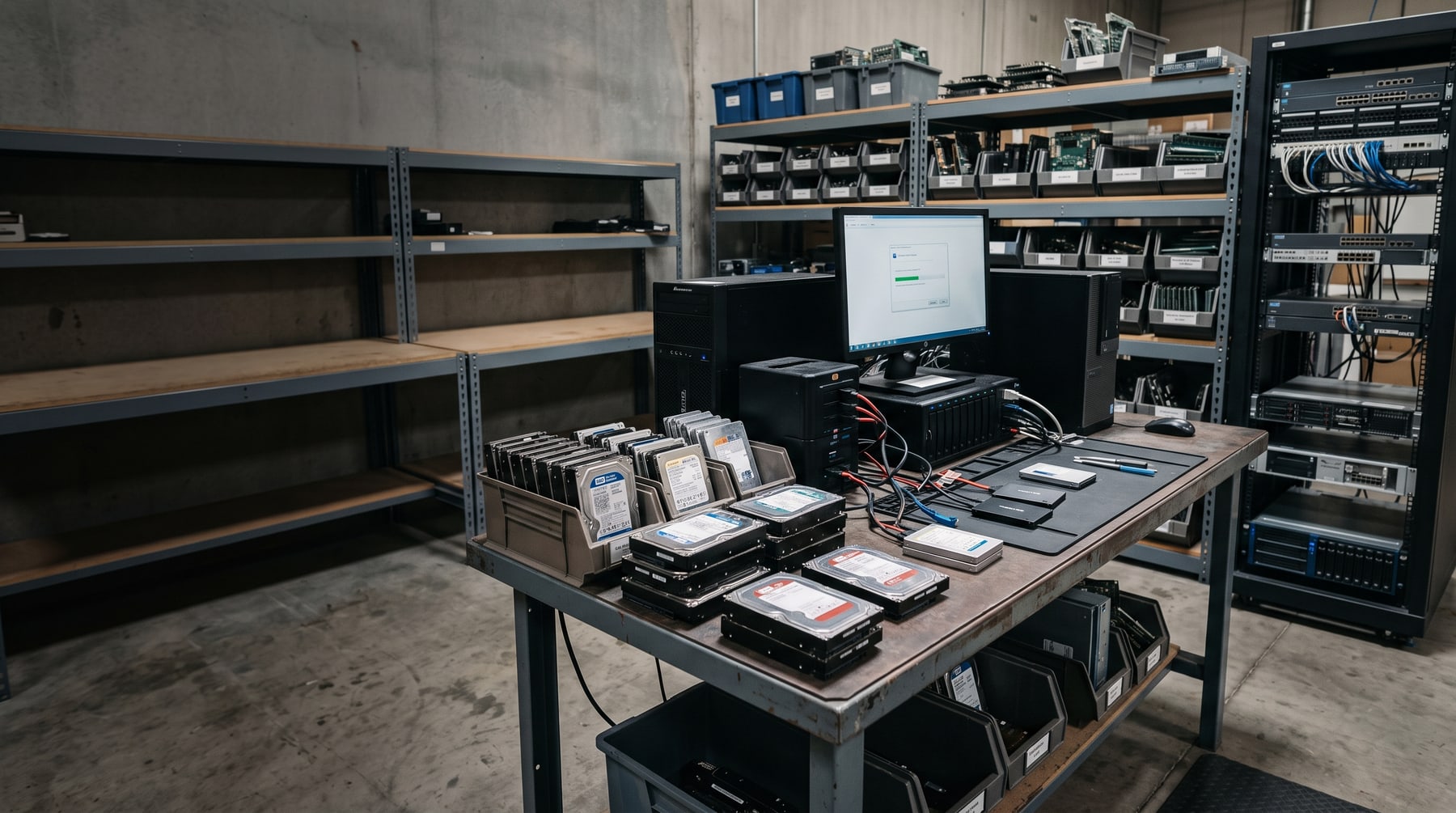
Retiring a laptop, server, hard drive, SSD, phone, or other information system is not just an electronics recycling decision. The equipment may contain customer records, employee information, financial data, credentials, intellectual property, medical information, student records, or confidential business documents.
The important question is not simply whether a device was “wiped.” The correct question is whether the selected sanitization method makes access to the target data infeasible for the level of effort that the organization is trying to prevent.
NIST Special Publication 800-88 Rev. 2, Guidelines for Media Sanitization, provides a framework for making that decision. It defines three sanitization methods: Clear, Purge, and Destroy. These methods are not interchangeable, and no single technique works for every type of storage media.
What is NIST SP 800-88 Rev. 2?
NIST SP 800-88 Rev. 2 is guidance for developing and operating a media-sanitization program. NIST published the final Revision 2 in September 2025, replacing Revision 1 from 2014.
The guidance helps organizations evaluate:
- The sensitivity and confidentiality of the information
- The type and condition of the storage media
- Whether the equipment will remain under the organization’s control
- Whether the media will be reused, sold, donated, returned, or destroyed
- The likely effort and capability of a person attempting data recovery
- Cost, environmental considerations, contractual requirements, and operational constraints
NIST does not say that every device must be physically destroyed. It also does not say that a generic software wipe is always sufficient. The appropriate method depends on the organization’s risk decision and whether the chosen technique actually works for the media involved.
NIST’s decision process begins with the confidentiality of the information. The media type then influences which technique can achieve the selected sanitization outcome.
Clear, Purge, and Destroy: The basic difference
| NIST method | What it is designed to do | Is the media potentially reusable? | Typical use |
|---|---|---|---|
| Clear | Protect against simple, non-invasive recovery using the normal user interface | Yes | Lower-risk information, internal reuse, or situations where the organization accepts the residual risk |
| Purge | Make recovery infeasible using state-of-the-art laboratory techniques while preserving the media when possible | Yes | Sensitive information on reusable equipment, lease returns, resale, donation, or redeployment |
| Destroy | Render the media unusable and data recovery infeasible | No | High-risk data, failed or damaged media, end-of-life assets, or projects requiring physical destruction |
These are NIST sanitization methods. A tool, machine, software product, or certificate is not itself a NIST outcome. The organization must select the outcome and use a media-appropriate technique to achieve it.
When is Clear appropriate?
Clear uses logical techniques to address data in user-addressable storage locations. The objective is protection against simple, non-invasive recovery using the interface normally available to the user.
Clear may be appropriate when:
- The information has a lower confidentiality impact
- The device will remain under the organization’s control
- The organization has completed a risk assessment and accepts the residual risk
- The device supports a reliable clear technique for its storage architecture
- The client’s policy specifically permits Clear
- The device is being prepared for an approved internal redeployment pathway
Clear should not be treated as the default for every device leaving an organization’s control. NIST states that Purge should be used instead of Clear when possible because Purge provides a stronger sanitization outcome while potentially preserving the media for reuse.
What Clear does not mean
Clear does not automatically mean:
- Deleting files manually
- Moving files to a recycle bin and emptying it
- Performing a quick format
- Resetting a device without understanding what the reset actually removes
- Running an unverified consumer wiping application
- Removing a user profile while leaving recoverable data elsewhere
The technique must match the storage architecture and the organization’s approved requirements. Some devices, including phones, tablets, printers, and multifunction devices, may have different storage and reset behavior than a conventional desktop computer.
When is Purge better?
Purge uses logical or physical techniques intended to make recovery infeasible using state-of-the-art laboratory techniques while preserving the media in a potentially reusable state.
Purge is often the best fit when the organization wants strong data protection and wants to preserve the value and useful life of the equipment.
Purge may be appropriate for:
- Working laptops and desktops being remarketed or redeployed
- Lease returns where the hardware must be returned intact
- Servers and storage equipment approved for reuse
- Retired employee devices that may have residual resale value
- Equipment being donated or transferred to another organization
- Projects where environmental and value-recovery goals support reuse
NIST identifies techniques that can support logical Purge depending on the media and implementation, including overwrite, block erase, and cryptographic erase through dedicated, standardized device-sanitize commands.
Cryptographic erase and Purge
Cryptographic erase can be a rapid Purge technique when the required conditions are satisfied. It depends on the device’s cryptographic implementation, the way encryption keys were generated and managed, and whether all relevant data is protected by the keys being destroyed.
A provider should not claim that every factory reset or encryption-related action is automatically a NIST Purge. The organization should confirm:
- Which storage media are covered
- Which sanitization command or process is used
- Whether the device is functional and accessible
- Whether encryption and key-management prerequisites are satisfied
- How the process is verified
- What record is issued for each asset
For working systems, software sanitization can preserve hardware value. Integritrade uses PXE-based high-throughput erasure workflows for approved equipment and provides serialized Certificates of Erasure for applicable projects.
When is Destroy the better choice?
Destroy is the appropriate outcome when the media must not be reused or when logical sanitization cannot reliably achieve the client’s required level of protection.
Destroy may be preferred when:
- The information has a high confidentiality impact
- The organization requires physical destruction
- The media is damaged, locked, unmountable, or otherwise unsuitable for reliable erasure
- The device failed logical sanitization or verification
- The storage component is being removed from a device and will not be reused
- The client’s policy, contract, or customer requirement calls for physical destruction
- The equipment is already at end of life and has little or no reuse value
- The organization wants to eliminate the possibility of future reuse of the media
Destroy normally makes the media unusable. It should therefore be selected after considering contractual obligations, environmental impact, replacement cost, and potential value recovery.
Physical destruction must match the storage technology
A physical process is only useful if it actually destroys the data-bearing components.
Magnetic hard disk drives
Traditional hard disk drives store data magnetically on platters. Depending on the client’s requirements and the condition of the drive, applicable approaches may include:
- A client-approved logical Purge method when the drive is functional and reuse is permitted
- Degaussing for appropriate magnetic media
- Mechanical shredding or other physical destruction for the Destroy outcome
- A combined degauss-and-shred workflow when the client requires both magnetic neutralization and physical destruction
Degaussing is not a universal data-destruction method. It is designed for magnetic media and should not be presented as effective for flash storage.
SSDs, NVMe drives, USB drives, and memory cards
SSDs, NVMe drives, USB flash drives, SD cards, and many mobile devices store data in flash memory and NAND components. They do not store data in magnetic domains like a traditional hard drive.
Degaussing does not sanitize non-magnetic flash media. A degausser can be operating correctly and still have no meaningful sanitization effect on an SSD, NVMe drive, USB drive, or SD card.
When flash media must be physically destroyed, the equipment and particle size must be appropriate for the small memory components. Coarse destruction can leave NAND packages or memory dies intact. Integritrade uses specialized solid-state disintegration equipment intended for approved SSD, NVMe, removable flash, and mobile logic-board destruction, with a nominal particle size of 2 mm as specified for its workflow.
Phones, tablets, printers, and multifunction devices
Data-bearing components are not limited to laptop and desktop hard drives. Phones, tablets, printers, copiers, multifunction devices, removable media, and embedded storage can contain information.
A proper workflow identifies the storage component before selecting Clear, Purge, or Destroy. For example, a printer may retain documents in internal storage, scan history, print queues, address books, or a removable drive. A scanner bed or paper tray may also contain original documents that must be handled separately from electronic media.
What about DoD wiping?
Some organizations still specify a DoD overwrite method in their internal policy or contract. A DoD-based overwrite requirement may be included when the client specifically requires it and the method is appropriate for the media.
However, DoD overwrite is not a universal answer for modern storage. It should not be used to suggest that one overwrite pattern is appropriate for every HDD, SSD, NVMe drive, phone, USB drive, or memory card.
For modern media, the decision should address:
- Whether the storage controller supports reliable sanitize commands
- Whether the device is functional
- Whether the data is stored in areas not addressed by ordinary host commands
- Whether cryptographic erase is properly supported
- Whether physical destruction is required
- How the result will be verified and documented
NIST SP 800-88 Rev. 2, the client’s policy, and the media manufacturer’s capabilities should guide the selection.
A practical decision process
A useful project workflow is:
1. Classify the information
Identify whether the media contains public, internal, confidential, regulated, proprietary, personal, financial, health, student, government, or other sensitive information.
2. Decide what happens to the asset
Will it be:
- Reused internally?
- Returned to a lessor?
- Redeployed to another employee?
- Sold or remarketed?
- Donated?
- Recycled as end-of-life equipment?
- Physically destroyed?
3. Identify the actual storage media
Do not assume the device’s exterior tells the whole story. Identify HDDs, SSDs, NVMe modules, eMMC storage, removable flash, tapes, phones, tablets, printers, and embedded storage.
4. Select Clear, Purge, or Destroy
Choose the NIST outcome based on confidentiality, future disposition, contractual requirements, media condition, and risk tolerance.
5. Select a technique that fits the media
A technique that works for a magnetic hard drive may not work for an SSD or flash device. Degaussing, coarse shredding, logical erasure, cryptographic erase, and physical disintegration each have different applications.
6. Verify the result
The organization should define how success is verified. That may include software verification, command results, inspection, serial-level processing records, exception handling, or physical-destruction evidence.
7. Document the outcome
Depending on the service level, documentation may include:
- Serialized Certificate of Erasure
- Serialized Certificate of Destruction
- Asset-level processing report
- Chain-of-custody record
- Exception report
- Weight ticket for Secure Electronics Recycling
- Photographic, recorded, livestreamed, or witnessed destruction evidence when requested
Common mistakes when applying NIST SP 800-88
Mistake 1: Treating NIST as a single wipe software
NIST SP 800-88 Rev. 2 is a media-sanitization framework, not a single software product or universal wipe command.
Mistake 2: Calling every factory reset a Purge
A factory reset may be appropriate in some contexts, but the organization must understand what the reset does and whether it meets the selected sanitization outcome for that device.
Mistake 3: Using degaussing on SSDs
Degaussing targets magnetic media. It does not sanitize flash-based NAND storage.
Mistake 4: Using a coarse shredder for flash memory
Small NAND components can survive a destruction process that is appropriate for a large HDD chassis but not for SSDs, NVMe drives, USB drives, or memory cards.
Mistake 5: Sanitizing a locked or damaged device logically
If a drive cannot be accessed, mounted, or reliably processed, the project should have an exception path. Failed logical sanitization generally requires physical destruction when the client’s risk decision does not permit continued data exposure.
Mistake 6: Ignoring nontraditional storage
Printers, copiers, scanners, phones, tablets, networking equipment, removable media, and embedded systems may retain sensitive information.
Mistake 7: Issuing vague certificates
A certificate should connect the outcome to the project and, when required, the individual asset or media serial number. Clients should understand whether the certificate documents erasure, physical destruction, or only recycling.
How Integritrade applies the framework
Integritrade helps clients select a media-appropriate workflow based on the client’s approved requirements, the information risk, the condition of the equipment, and the intended disposition.
For approved reuse and recovery projects, Integritrade can perform high-throughput PXE-based logical sanitization and provide serialized Certificates of Erasure. For magnetic hard drives and magnetic tape requiring physical destruction, Integritrade operates degaussing and mechanical shredding equipment. For SSDs, NVMe drives, removable flash, and other approved flash-based media requiring physical destruction, Integritrade uses specialized solid-state disintegration equipment with a nominal 2 mm particle-size workflow.
All data-bearing material within the agreed scope is handled by trained, background-checked personnel in Integritrade’s controlled-access, 24/7 video-monitored Fresno facility. For Full ITAD projects, TraceTech provides authorized clients with real-time project and asset visibility, client asset-tag reconciliation, available certificates as issued, and a message center for project requests or amendments.
Integritrade supports Secure Electronics Recycling, Data Destruction, and Full ITAD & Value Recovery. The service level determines the documentation and tracking included:
- Secure Electronics Recycling: agreed recycling scope and final weight ticket
- Data Destruction: approved data destruction plus serialized reporting and applicable certificates
- Full ITAD & Value Recovery: asset-level workflow, data handling, testing, reuse/value recovery, recycling pathways, reporting, and TraceTech visibility